
When and Why to Use
Use this to let users select multiple items from each row of a grid. Best for:
- Capturing multiple associations across brands or features
- Structured multi-select input
- Attribute-based tagging questions
Supports recoding, exclusive options, and visual media rows.
Other Names and Formats
A Multi Select Grid Question is a checkbox grid, multiple-response matrix, multiple-answer matrix, or multi-select matrix. Respondents select all applicable column choices for each row, making this format useful for brand and attribute associations.
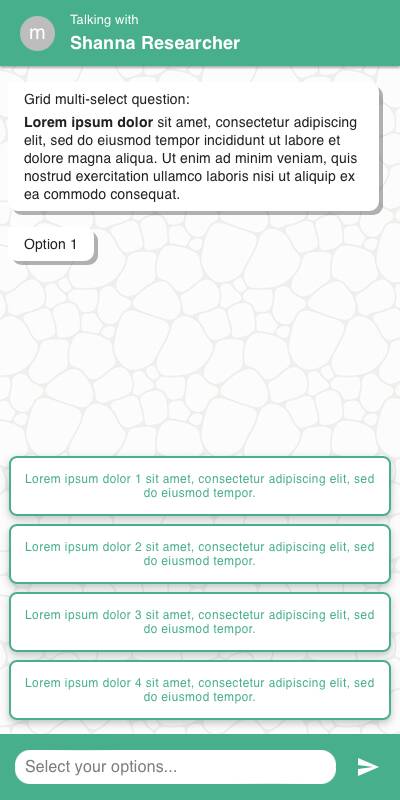
Chat Style
- Rows displayed one at a time vertically, each with a set of checkboxes or buttons
- Input is grouped per row with selectable option tiles
- Specify inputs appear inline below their respective rows
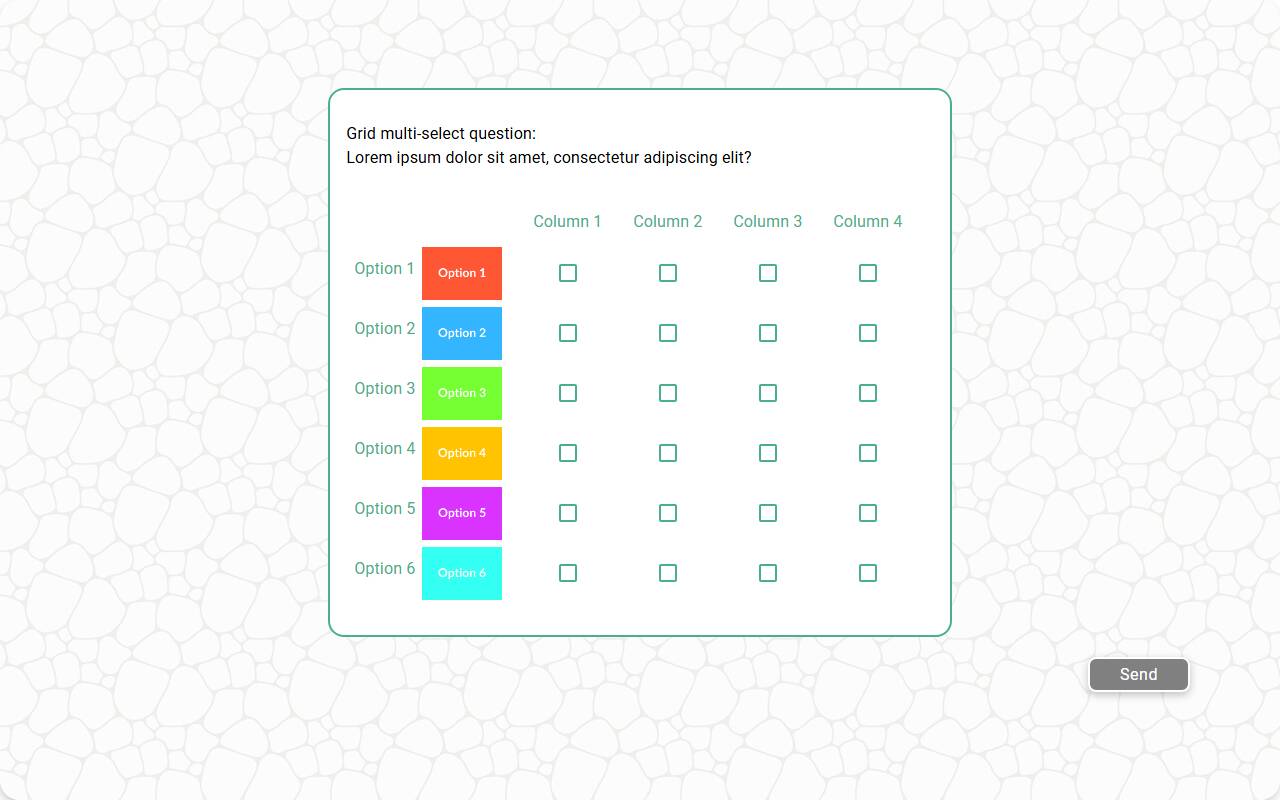
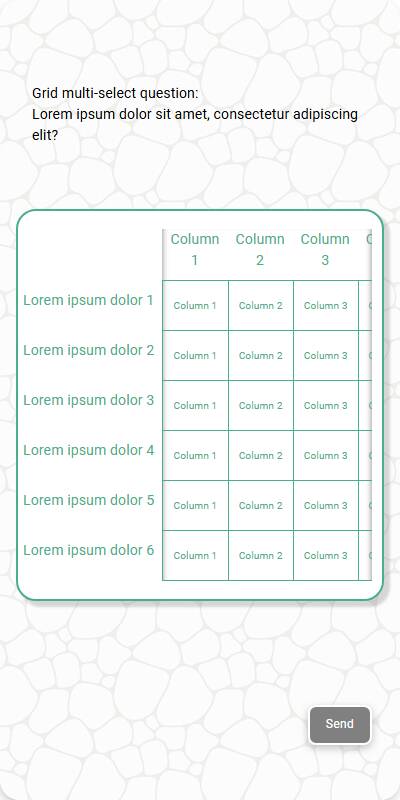
Traditional Style
- Grid layout with rows and columns visible at once
- Checkbox-style inputs allow multiple selections per row
- Optimized for keyboard and remote navigation
| Chat style | Traditional with Images | Traditional - Mobile optimized |
|---|---|---|
 |  |  |
Configuration Options
| Option | Type | Required | Default | Description |
|---|---|---|---|---|
| question | string | yes | - | The prompt shown to the user |
| rows | List[str | MediaItem] | yes | - | Rows to show in the grid |
| row_name | string | yes | - | Label used in reporting and data schema |
| options | List[str | MediaItem] | yes | - | Options available for each row |
| style | Literal['button', 'checkbox'] | no | checkbox | "checkbox" or "button" style inputs |
| randomize | bool | no | False | Randomize row order |
| randomize_options | bool | no | False | Randomize option order per row |
| other_options | List[str] | no | - | Additional options to present to the user |
| fixed_options | List[str] | no | - | Options not affected by randomization |
| exclusive_options | List[str] | no | - | Options that deselect others in same row |
| specify_option | str | no | - | Adds an "Other" input to each row |
| specify_text | str | no | "Please specify" | Prompt shown when specifying input |
| image | MediaItem | no | - | Top-level image shown above the question |
| recodes | Dict[str, str] | no | - | Map of option values to alternate codes |
| default | Dict[str, List[str]] | List[Dict[str, List[str]]] | no | random | Per-row default selections for test data, or a list of candidate dictionaries — each simulated respondent picks one at random |
| skip_empty | bool | no | False | Skip the question when there are no rows or no options |
| image_label_field | str | no | - | Field to label image-based rows |
| show_image_label | bool | no | True | Show/hide image captions in rows |
| image_size | Tuple[int, int] | no | 600x600 | Size for rendering images |
| custom_validator | Callable[[Dict[str, List[str]] | List[str]], str | None] | no | straight-line check | Called with the parsed grid as a dict of row-to-selections in the traditional experience, or with each row's parsed list of selections in the chat experience, where the grid is asked row by row; return an error message to reject the response, or None to accept |
| number_seconds | int | no | 0 | Seconds to wait before allowing the respondent to continue |
tags | s.tag() | no | - | Used in text substitution and reporting groupings |
| id | str | no | - | Optional stable identifier for this question |
Example Code
s.grid_multi_select_question( "What do you associate with these brands? Select all that apply", row_name="Brand", rows=["Coke", "Pepsi", "Dasani", "Fanta"], options=["Tasty", "Refreshing", "Cool", "Value", "Convenient"] )
With recodes:
s.grid_multi_select_question( "What do you associate with these brands?", row_name="Brand", rows=["Coke", "Pepsi", "Fanta"], options=["Tasty", "Cool", "Value"], recodes={ "Tasty": "Product", "Cool": "Brand", "Value": "Pricing" } )
With exclusive and specify:
s.grid_multi_select_question( "Select all that apply to each option below", row_name="Item", rows=["Feature A", "Feature B"], options=["Useful", "Overused", "Unknown"], exclusive_options=["Unknown"], specify_option="Other" )
Notes
- The method name is
grid_multi_select_question; call it ass.grid_multi_select_question(...) - exclusive_options allow per-row mutual exclusivity
- recodes simplify grouping similar concepts in analysis
- By default, custom_validator performs a straight-line check that rejects responses with the same value in every cell; pass your own function to override it
- Use randomize_options to avoid order bias
- Returns a
DictResponsemapping each row to the list of selected options, which behaves like a plain Python dict