
When and Why to Use
Use this when you want respondents to rank a list of items in order of preference, importance, or relevance. Ideal for:
- Brand or product preference
- Feature prioritization
- Behavioral comparisons (e.g. activities, habits)
Supports optional min/max number of items to rank, media options, and custom recoding.
Other Names and Formats
A Ranking Question is also called a rank order question, rank-order question, or preference ranking question. Interaction styles include drag-and-drop ranking and tap-to-rank. Respondents put items in order of preference, importance, or relevance.
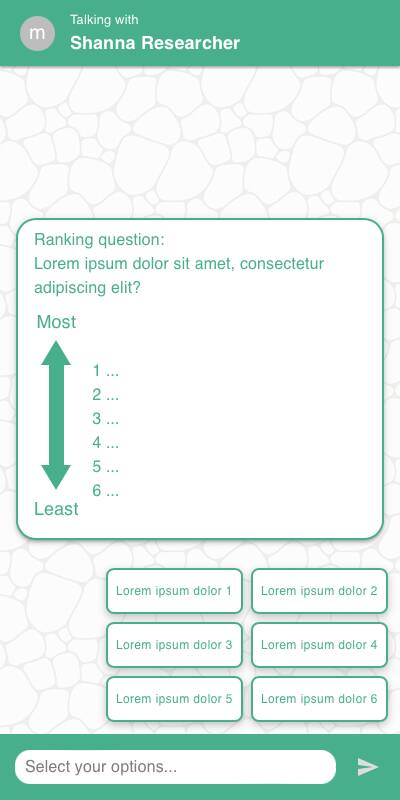
Chat Experience
- Drag-and-drop or tap-to-rank UI depending on
style - Labels for top and bottom ranks shown as anchors
- Optional "Don't know" button shown below options
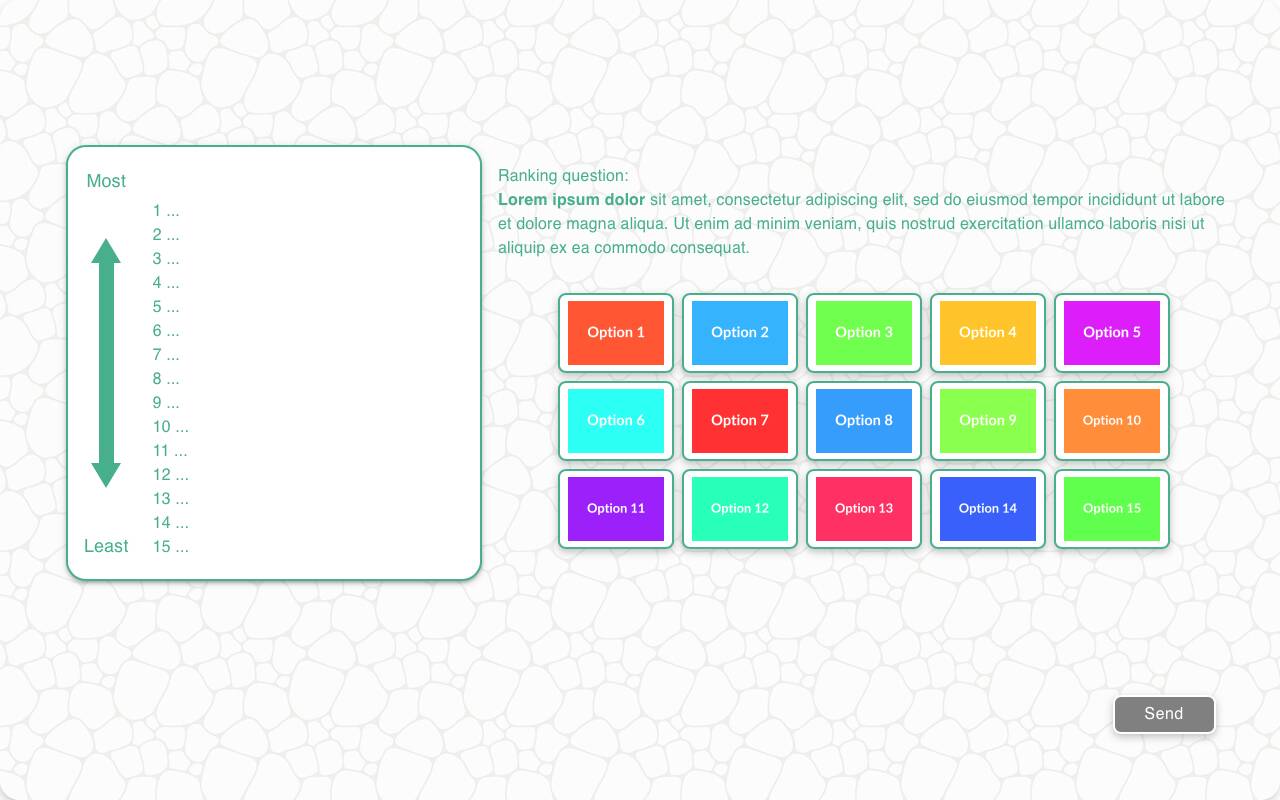
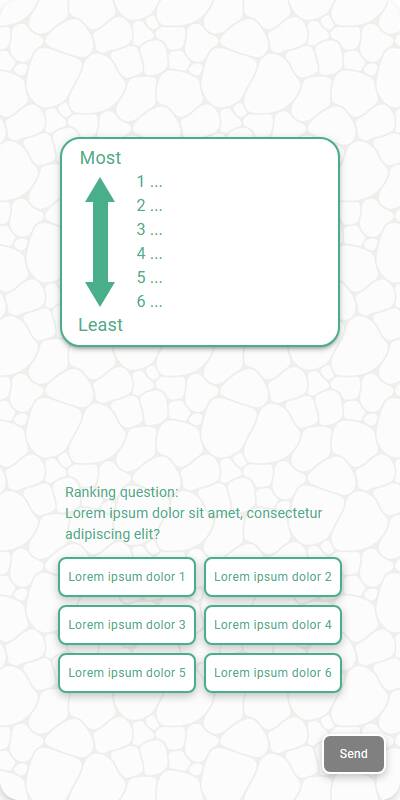
Traditional Experience
- Grid or stacked ranking interaction optimized for larger viewports
- Buttons are laid out clearly with visual feedback on order
| Chat experience | Traditional Experience with images | Traditional, mobile optimized, without images |
|---|---|---|
 |  |  |
Configuration Options
| Option | Type | Required | Default | Description |
|---|---|---|---|---|
question | string | yes | - | Text shown above the ranking list |
options | List[str | MediaItem] | yes | - | Strings or media items containing the options |
image | MediaItem | no | - | Image shown above the question, from the s.media collection |
min_options | int | no | all | Minimum number of items user must rank |
max_options | int | no | all | Maximum number of items user may rank |
style | Literal['default', 'button', 'list'] | no | 'button' | Presentation style for the options: 'default', 'button', or 'list' |
labels | Tuple[str, str] | no | ("Least", "Most") | Anchors for bottom/top of the ranking |
randomize | bool | no | False | Shuffle item order |
fixed_options | List[str] | no | - | Items that should not be shuffled |
other_options | List[str] | no | - | Additional options to present to the user |
skip_empty | bool | no | False | Skip if no items to rank |
default | List[str] | List[List[str]] | no | random | Default ranking for test data, or a list of candidate rankings — each simulated respondent picks one at random |
recodes | Dict[str, str] | no | - | Map items to alternative codes for reporting |
custom_validator | Callable[[List[str]], str | None] | no | - | Called with the parsed ranking as a plain list of strings; return an error message to reject it, or None to accept |
image_label_field | str | no | - | Label to use for image-based items |
show_image_label | bool | no | True | Whether to show labels with images |
image_size | Tuple[int, int] | no | 600x600 | Size of image tiles |
dont_know_option | str | no | '' | Adds a "Don't know" option with this label |
number_seconds | int | no | 0 | Seconds to wait before allowing the respondent to continue |
tags | s.tag() | no | - | Used for token replacement |
id | str | None | no | None | Optional stable identifier for this question |
Example Code
Basic usage:
s.ranking_question( "Rank the following car brands in order of preference", options=["Ford", "Toyota", "Honda", "Tesla"], labels=("Least", "Most") )
Ranking a subset with a "Don't know" option:
s.ranking_question( "Rank your top three features", options=["Price", "Design", "Battery life", "Camera", "Durability"], min_options=3, max_options=3, dont_know_option="Don't know" )
Notes
- Options can be plain strings or media items from the
s.mediacollection; useimage_label_field,show_image_label, andimage_sizeto control how image options are labeled and sized min_optionsandmax_optionscontrol how many options the respondent must rank; both default to all options- Returns a
ListResponsecontaining the ranked options, which behaves like a plain Python list