
When and Why to Use
Use this to collect structured responses across multiple attributes. Ideal for:
- Marking multiple items on the same scale (e.g. product attributes)
- Capturing matrix-style input efficiently
- Comparing the same options across rows
Supports recoding, randomization, and media-based rows.
Other Names and Formats
A Grid Select Question is a single-select matrix, single-response matrix, multiple-choice grid, radio button grid, or matrix table. Each row accepts one answer from the shared column choices. With ordered agreement labels, it can present a Likert-style matrix; with categorical labels, it records categories instead.
Chat Style
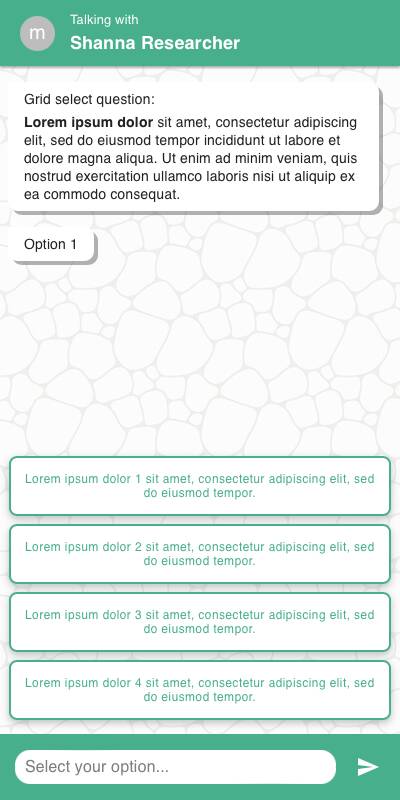
- Each row is displayed as a vertical block with radio buttons or buttons, depending on
style - Rows scroll vertically
- Specify option input appears below the corresponding row when selected
Traditional Style
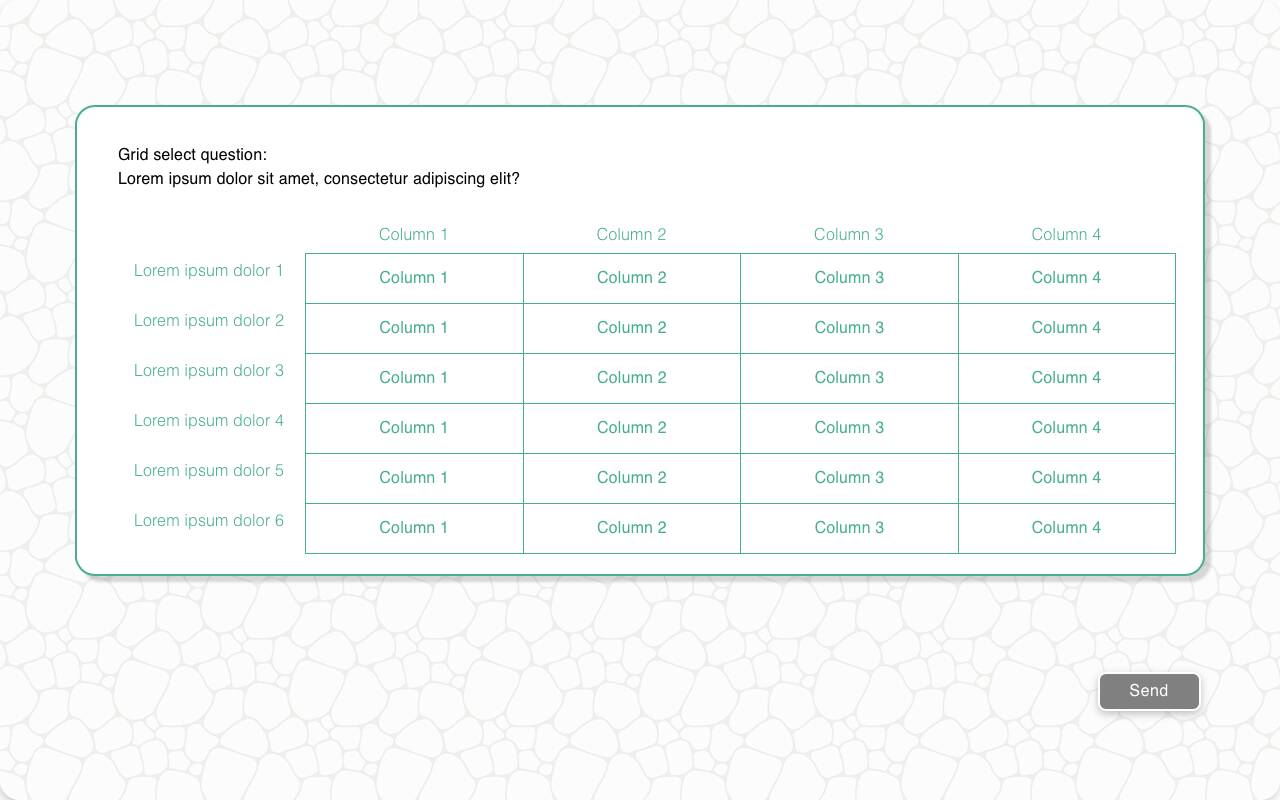
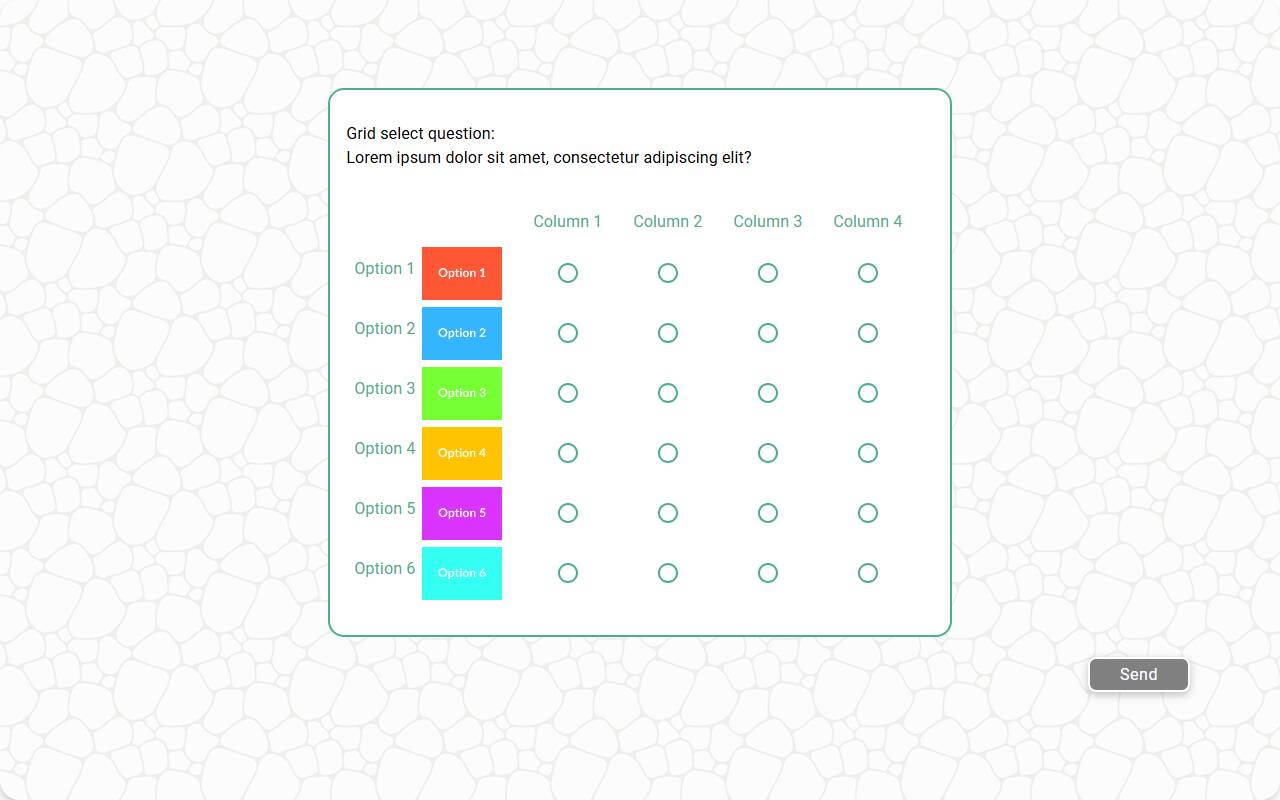
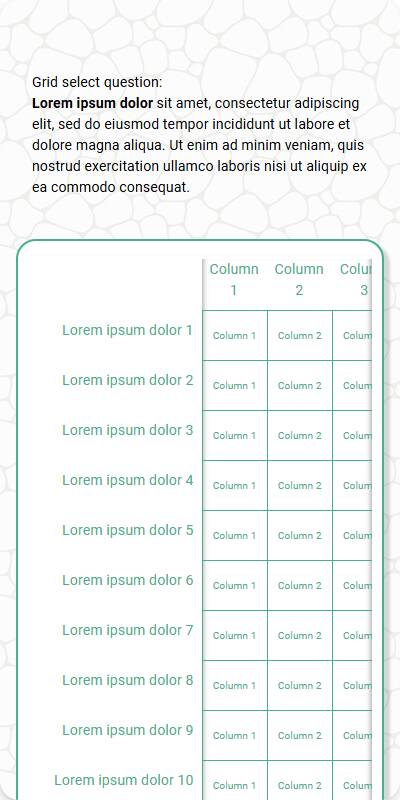
- Grid is shown in tabular layout with rows as items and columns as options
- Works well with keyboard/remote input
- Hover/focus interaction highlights active cell
| Chat style with buttons | Traditional with buttons | Traditional with Radio | Mobile optimized traditional |
|---|---|---|---|
 |  |  |  |
Configuration Options
| Option | Type | Required | Default | Description |
|---|---|---|---|---|
question | string | yes | - | The prompt shown to the user |
rows | List[str | MediaItem] | yes | - | Rows to show in the grid |
row_name | string | yes | - | Label used in reporting and data schema |
options | List[str | MediaItem] | yes | - | Options available for each row |
style | Literal['button', 'radio'] | no | radio | "radio" or "button" display style |
randomize | bool | no | False | Randomize row order |
randomize_options | bool | no | False | Randomize option order per row |
other_options | List[str] | no | - | Additional options to present to the user |
fixed_options | List[str] | no | - | Options that are never randomized |
specify_option | str | no | - | Adds an "Other" option to all rows |
specify_text | str | no | "Please specify" | Prompt for the specify input |
image | MediaItem | no | - | Image shown above the question |
recodes | Dict[str, str] | no | - | Maps options to alternate values |
custom_validator | Callable[[dict[str, str | int]], str | None] | no | straight-line check | Called with the complete parsed grid in both chat and traditional experiences; sorted choices use integers. Return an error message to reject the response, or None to accept. |
image_label_field | str | no | - | Field to use for labeling row images |
show_image_label | bool | no | True | Whether to show labels under row images |
image_size | Tuple[int, int] | no | 600x600 | Pixel bounds for row images |
skip_empty | bool | no | False | Skip the question when there are no rows or no options |
default | Dict[str, str | List[str]] | List[Dict[str, str | List[str]]] | no | random | Per-row defaults for test data, or a list of candidate dictionaries — each simulated respondent picks one at random. Within one dictionary, a per-row list supplies candidates the respondent's pick is sampled from |
sorted | Literal['ascending', 'descending'] | no | None | Store each row's answer in reporting as a numeric scale derived from option order. Respondents still see a normal grid select. Cannot be combined with randomize_options. |
number_seconds | int | no | 0 | Seconds to wait before allowing the respondent to continue |
tags | s.tag() | no | - | Used for token substitution and grouping in reporting |
id | str | no | - | Optional stable identifier for this question |
Example Code
Basic usage:
s.grid_select_question( "Please rate the following aspects of the product", row_name="Product Aspect", rows=["Quality", "Price", "Service", "Delivery"], options=["Poor", "Fair", "Good", "Very Good", "Excellent"] )
With recodes:
s.grid_select_question( "Rate the following aspects of the experience", row_name="Attribute", rows=["Cleanliness", "Friendliness", "Wait Time"], options=["Poor", "Fair", "Good", "Excellent"], recodes={ "Poor": "1", "Fair": "2", "Good": "3", "Excellent": "4" } )
With custom validator:
s.grid_select_question( "Rate the following aspects of {brand} cars", row_name="Attribute", rows=["Design", "Comfort", "Technology"], options=["Poor", "Fair", "Good", "Excellent"], tags=s.tag(brand="Tesla"), custom_validator=lambda r: "Please vary your responses" if len(dict.fromkeys(r.values())) == 1 else None )
Stored as a numeric scale for reporting:
s.grid_select_question( "How much do you agree with each statement?", row_name="Statement", rows=["The setup was easy", "Support was helpful", "I would recommend it"], options=["Strongly disagree", "Disagree", "Neutral", "Agree", "Strongly agree"], sorted="ascending" )
Notes
- Set
style="button"for a more compact tap-friendly interface - Use
recodesto make scale responses easier to analyze - By default,
custom_validatorperforms a straight-line check that rejects responses with the same value in every cell; pass your own function to override it specify_optionenables per-row free text for non-listed choices- Returns a
DictResponsekeyed by row, which behaves like a plain Python dict sortedis useful when the options form an ordered scale and you want reporting to treat each row's answer as a number. Withsorted="ascending"the first option is stored as1, the second as2, and so on;sorted="descending"reverses this, storing the first option as the highest value and the last as1. Respondents still pick from the option labels. Because the values come from the option order,sortedcannot be used withrandomize_options(row order can still be randomized withrandomize).