

Article
Multi Select Grid Question
When and Why to Use
Use this to let users select multiple items from each row of a grid. Best for:
-
Capturing multiple associations across brands or features
-
Structured multi-select input
-
Attribute-based tagging questions
Supports recoding, exclusive options, and visual media rows.
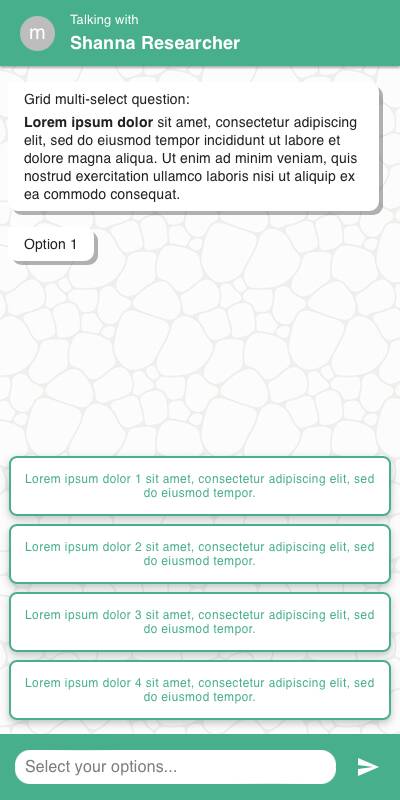
Chat Style
-
Rows displayed one at a time vertically, each with a set of checkboxes or buttons
-
Input is grouped per row with selectable option tiles
-
Specify inputs appear inline below their respective rows
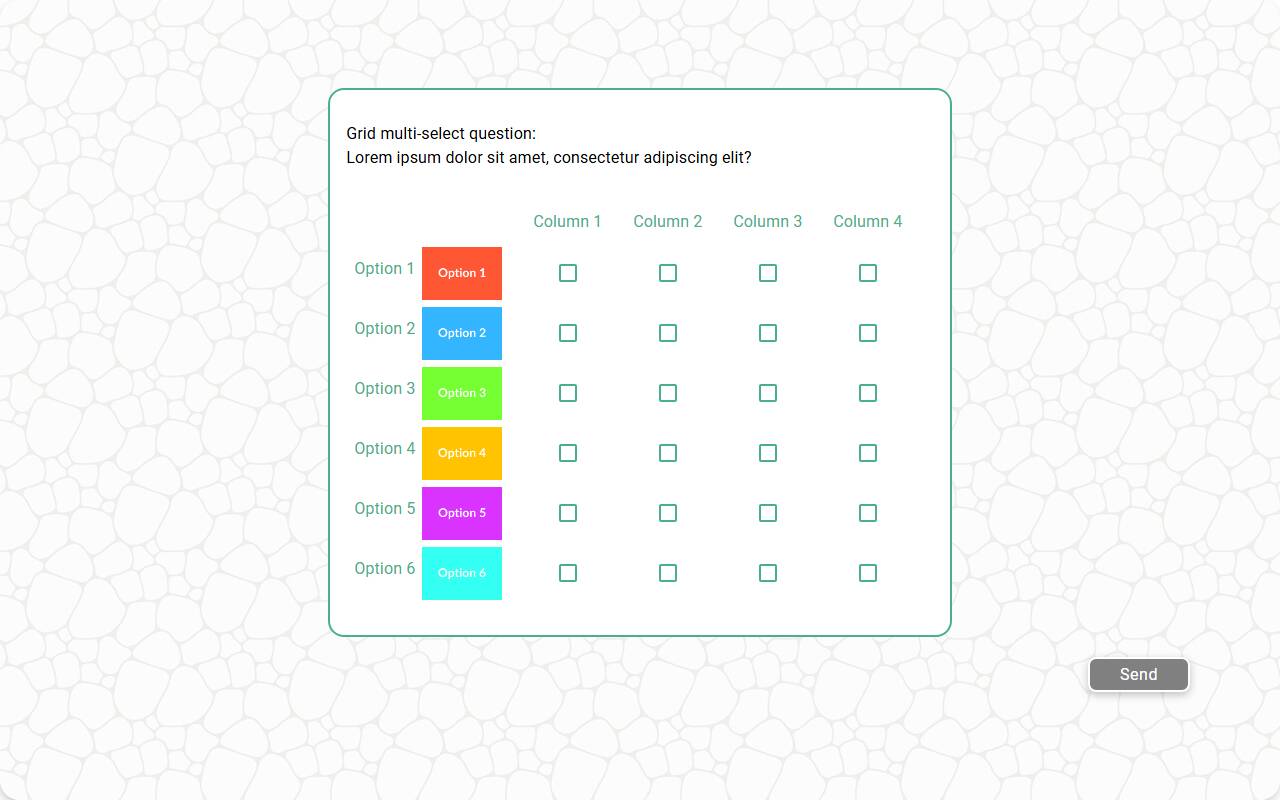
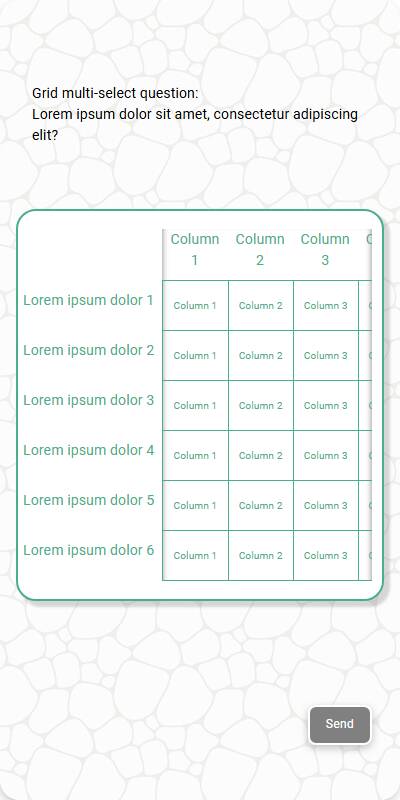
Traditional Style
-
Grid layout with rows and columns visible at once
-
Checkbox-style inputs allow multiple selections per row
-
Optimized for keyboard and remote navigation
| Chat style | Traditional with Images | Traditional - Mobile optimized |
|---|---|---|
 |  |  |
Configuration Options
| Option | Type | Required | Default | Description |
|---|---|---|---|---|
| question | string | yes | - | The prompt shown to the user |
| rows | `List[str | MediaItem]` | yes | - |
| row_name | string | yes | - | Label used in reporting and data schema |
| options | `List[str | MediaItem]` | yes | - |
| style | string | no | checkbox | “checkbox” or “button” style inputs |
| randomize | bool | no | False | Randomize row order |
| randomize_options | bool | no | False | Randomize option order per row |
| fixed_options | List[str] | no | - | Options not affected by randomization |
| exclusive_options | List[str] | no | - | Options that deselect others in same row |
| specify_option | str | no | - | Adds an “Other” input to each row |
| specify_text | str | no | “Please specify” | Prompt shown when specifying input |
| image | MediaItem | no | - | Top-level image shown above the question |
| recodes | Dict[str, str] | no | - | Map of option values to alternate codes |
| default | Dict[str, List[str]] | no | random | Default selections for test data |
| skip_empty | bool | no | False | Skip question if no rows provided |
| image_label_field | str | no | - | Field to label image-based rows |
| show_image_label | bool | no | True | Show/hide image captions in rows |
| image_size | Tuple[int, int] | no | - | Size for rendering images |
| custom_validator | `Callable[[Dict[str, List[str]]], str | None]` | no | - |
tags | s.tag() | no | - | Used in text substitution and reporting groupings |
Example Code
s.grid_multi_select_question( "What do you associate with these brands? Select all that apply", row_name="Brand", rows=["Coke", "Pepsi", "Dasani", "Fanta"], options=["Tasty", "Refreshing", "Cool", "Value", "Convenient"] )
With recodes:
s.grid_multi_select_question( "What do you associate with these brands?", row_name="Brand", rows=["Coke", "Pepsi", "Fanta"], options=["Tasty", "Cool", "Value"], recodes={ "Tasty": "Product", "Cool": "Brand", "Value": "Pricing" } )
With exclusive and specify:
s.grid_multi_select_question( "Select all that apply to each option below", row_name="Item", rows=["Feature A", "Feature B"], options=["Useful", "Overused", "Unknown"], exclusive_options=["Unknown"], specify_option="Other" )
Notes
-
exclusive_options allow per-row mutual exclusivity
-
recodes simplify grouping similar concepts in analysis
-
custom_validator lets you apply rules across the full grid
-
Use randomize_options to avoid order bias