

Article
Grid Select Question
When and Why to Use
Use this to collect structured responses across multiple attributes. Ideal for:
- Marking multiple items on the same scale (e.g. product attributes)
- Capturing matrix-style input efficiently
- Comparing the same options across rows
Supports recoding, randomization, and media-based rows.
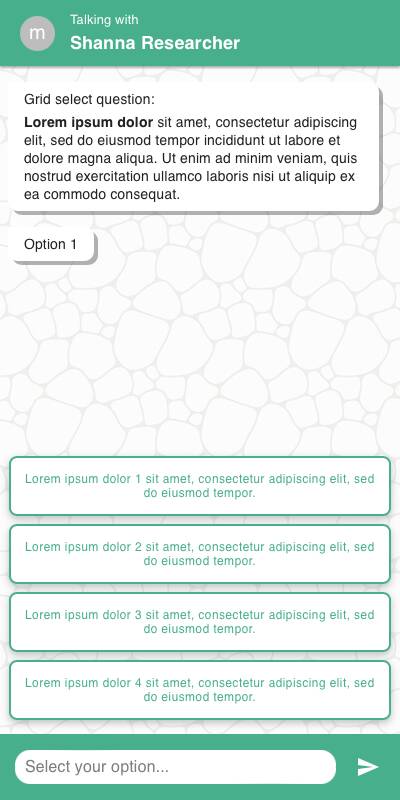
Chat Style
- Each row is displayed as a vertical block with radio buttons or buttons, depending on
style - Rows scroll vertically
- Specify option input appears below the corresponding row when selected
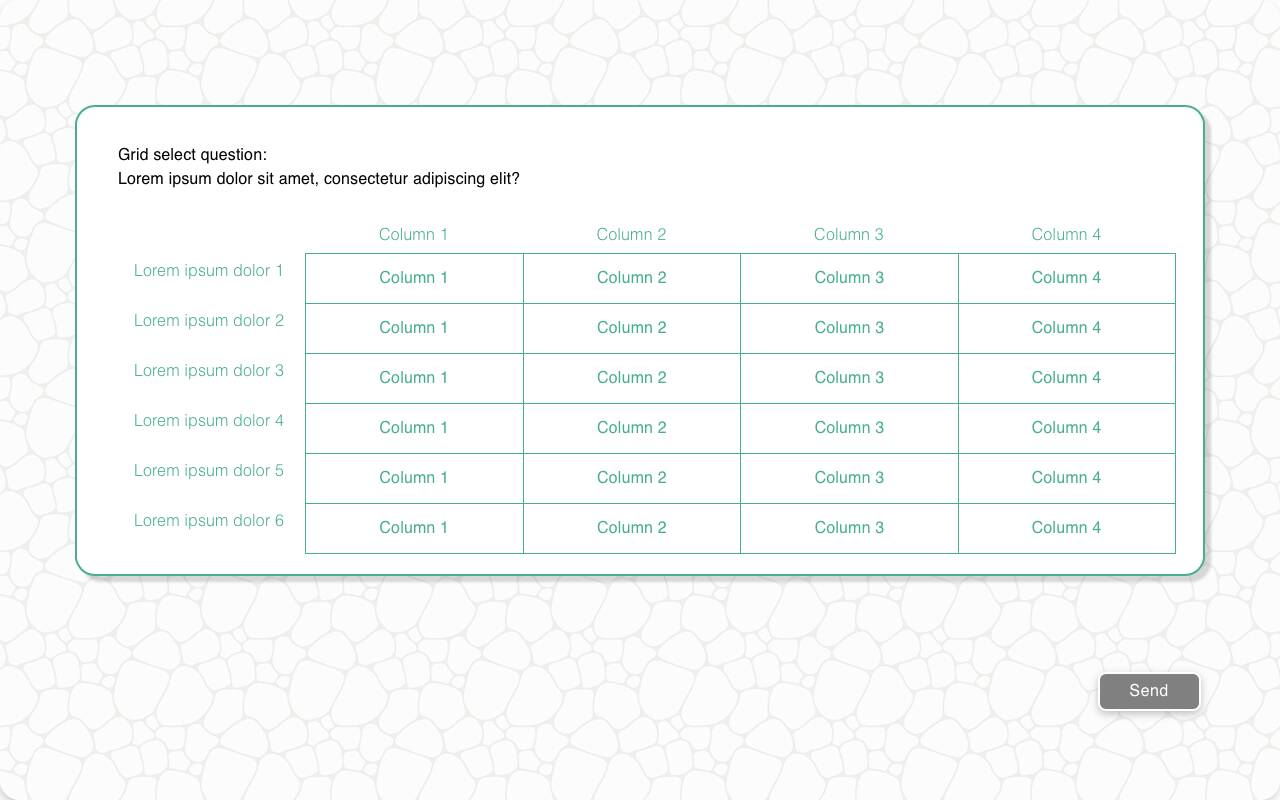
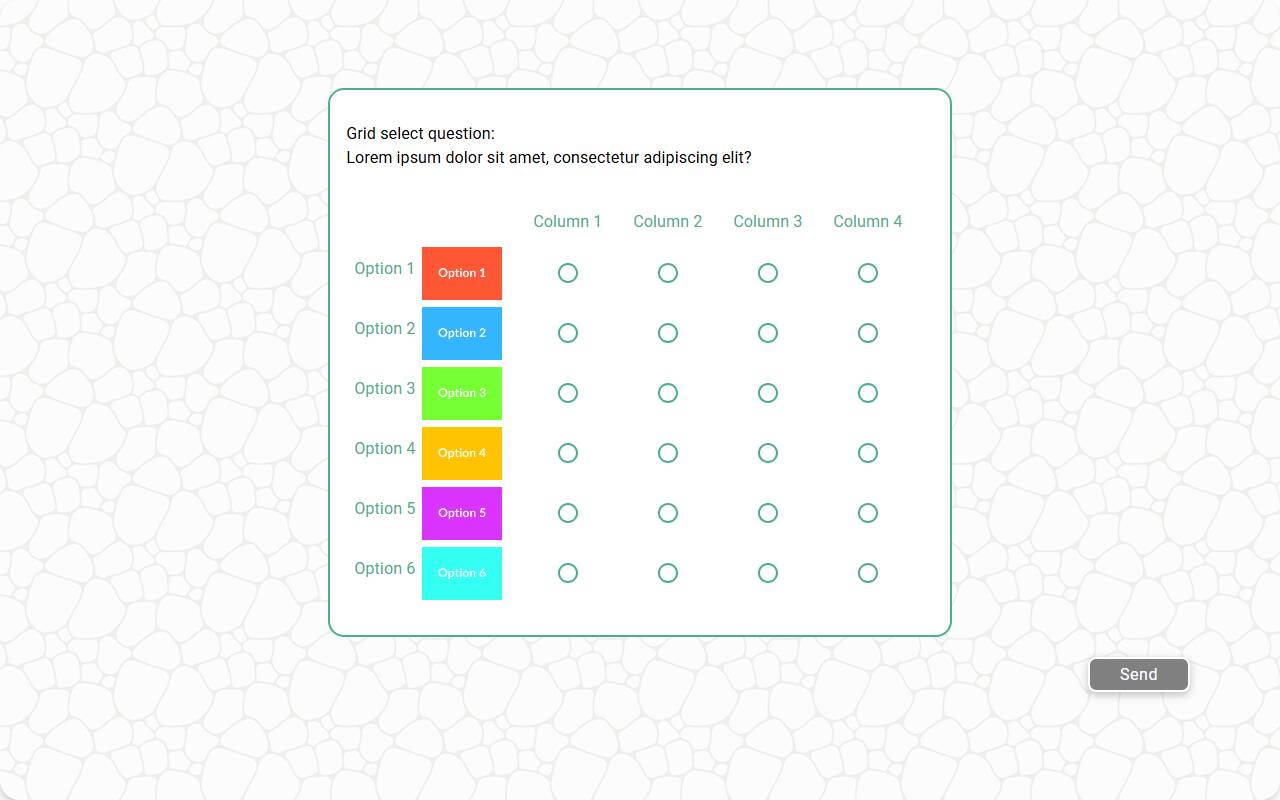
Traditional Style
- Grid is shown in tabular layout with rows as items and columns as options
- Works well with keyboard/remote input
- Hover/focus interaction highlights active cell
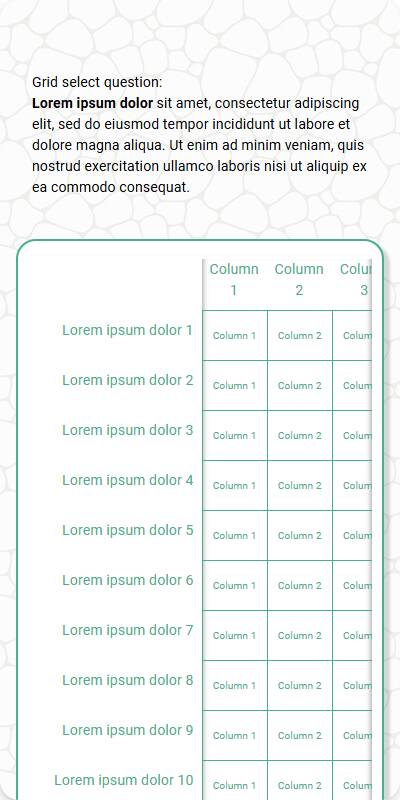
| Chat style with buttons | Traditional with buttons | Traditional with Radio | Mobile optimized traditional |
|---|---|---|---|
 |  |  |  |
Configuration Options
| Option | Type | Required | Default | Description |
|---|---|---|---|---|
question | string | yes | - | The prompt shown to the user |
rows | `List[str | MediaItem]` | yes | - |
row_name | string | yes | - | Label used in reporting and data schema |
options | List[str] | yes | - | Options available for each row |
style | string | no | radio | "radio" or "button" display style |
randomize | bool | no | False | Randomize row order |
randomize_options | bool | no | False | Randomize option order per row |
fixed_options | List[str] | no | - | Options that are never randomized |
specify_option | str | no | - | Adds an "Other" option to all rows |
specify_text | str | no | "Please specify" | Prompt for the specify input |
image | MediaItem | no | - | Image shown above the question |
recodes | Dict[str, str] | no | - | Maps options to alternate values |
custom_validator | `Callable[[Dict[str, str]], str | None]` | no | - |
image_label_field | str | no | - | Field to use for labeling row images |
show_image_label | bool | no | True | Whether to show labels under row images |
image_size | Tuple[int, int] | no | - | Pixel bounds for row images |
skip_empty | bool | no | False | Skip question if rows are empty |
default | Dict[str, str] | no | random | Default selections for test data |
tags | s.tag() | no | - | Used for token substitution and grouping in reporting |
Example Code
Basic usage:
s.grid_select_question( "Please rate the following aspects of the product", row_name="Product Aspect", rows=["Quality", "Price", "Service", "Delivery"], options=["Poor", "Fair", "Good", "Very Good", "Excellent"] )
With recodes:
s.grid_select_question( "Rate the following aspects of the experience", row_name="Attribute", rows=["Cleanliness", "Friendliness", "Wait Time"], options=["Poor", "Fair", "Good", "Excellent"], recodes={ "Poor": "1", "Fair": "2", "Good": "3", "Excellent": "4" } )
With custom validator:
s.grid_select_question( "Rate the following aspects of {brand} cars", row_name="Attribute", rows=["Design", "Comfort", "Technology"], options=["Poor", "Fair", "Good", "Excellent"], brand="Tesla", custom_validator=lambda d: "Please vary your responses" if len(set(d.values())) == 1 else None )
Notes
- Set
style="button"for a more compact tap-friendly interface - Use
recodesto make scale responses easier to analyze - The
custom_validatorhelps enforce variation or specific logic specify_optionenables per-row free text for non-listed choices