

Article
Open end coding in MX8 Labs
How to Code Open-Ends in MX8 Labs
In MX8 Labs, coding open-ended responses is streamlined and automated, making it easy to classify and analyze text responses from your surveys. Here’s a step-by-step guide to understanding how open-end coding works and how you can manage it effectively.
How Open-End Coding Works
1.
Automated Coding At the End of Fielding
The system automatically codes all responses to each text_question when your survey is complete. This ensures you get real-time categorization of open-ended answers without any manual intervention.
2.
Shared Code-Frames Across Surveys
- Each unique question in each Project has a code frame (a predefined set of categories used to classify responses).
- The same code-frame is shared across all surveys in the project, ensuring consistent classification.
3.
Editable Code-Frames
- You can edit the code frame anytime to refine categories or adapt to new response patterns.
- The AI uses the description of each label to decide which responses should be assigned to this code.
- Changes to the code frame trigger an automatic re-coding of all previously collected responses to ensure consistency.
Managing Your Code-Frame
Viewing the Code-Frame
-
Navigate to the Project you want to manage.
-
Select the “Code-Frame” tab to view the questions with code frames.
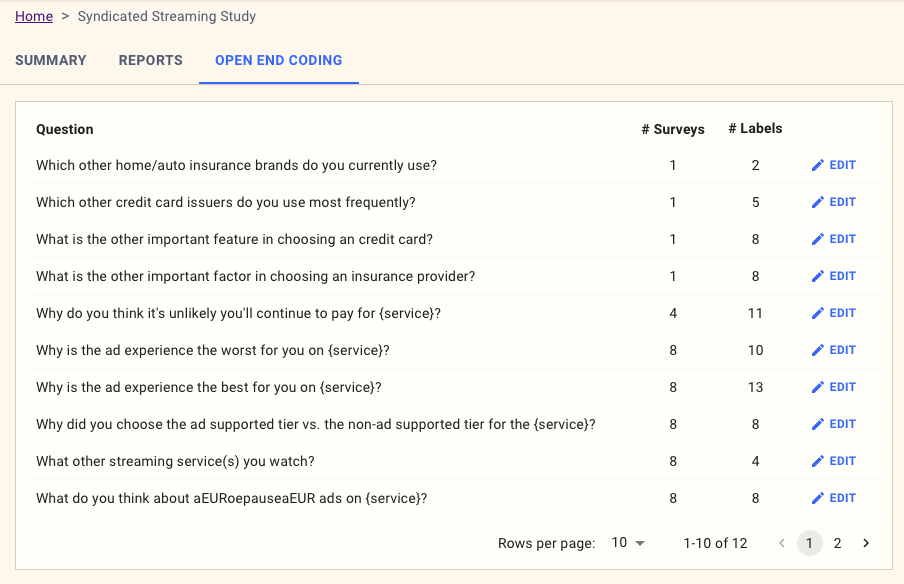
Editing the Code-Frame
-
Click the Edit button in the Code-Frame section.
-
Add, modify, or delete categories as needed.
-
Save your changes to update the code-frame.
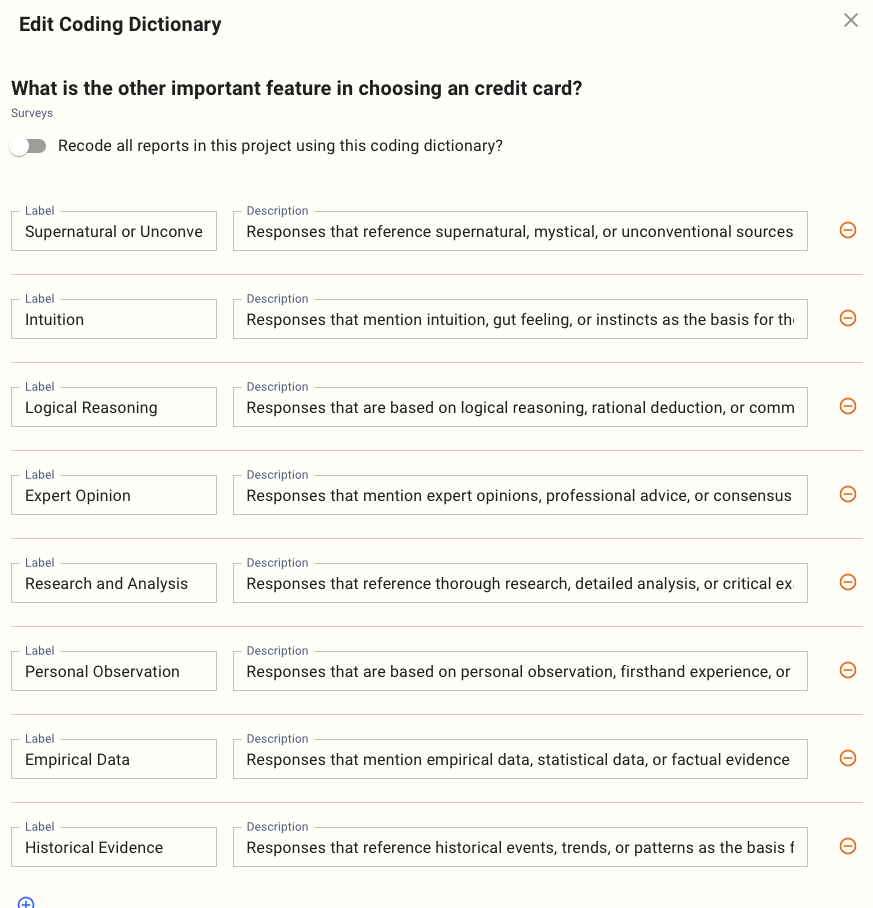
Re-Coding Responses
- When you edit the code frame, the system automatically re-codes all responses for that question.
- You don’t need to re-upload data or manually trigger the process—it’s handled seamlessly.
FAQs
Q: Can I use the same code frame for multiple questions?
No, each unique question has its own code frame. However, the system automatically shares the code-frame for the same question across all surveys in a project.
Q: What happens to previously coded responses if I update the code frame?
All previously collected responses are automatically re-coded to reflect your changes.
Q: Can I revert to a previous version of the code frame?
Currently, code-frame changes are final, so ensure you’re confident in your edits before saving.